113 comments
Creator: DOUBLEPARALLAX
Creator: DOUBLEPARALLAX
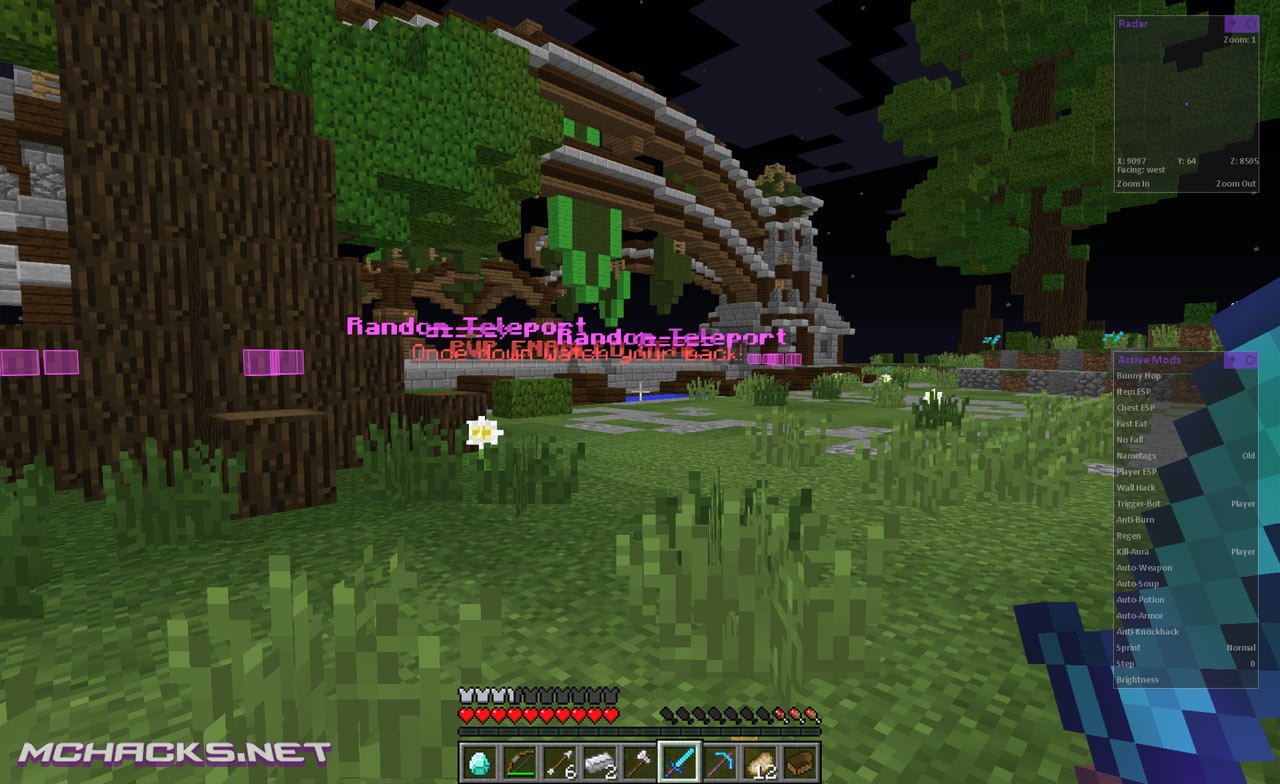
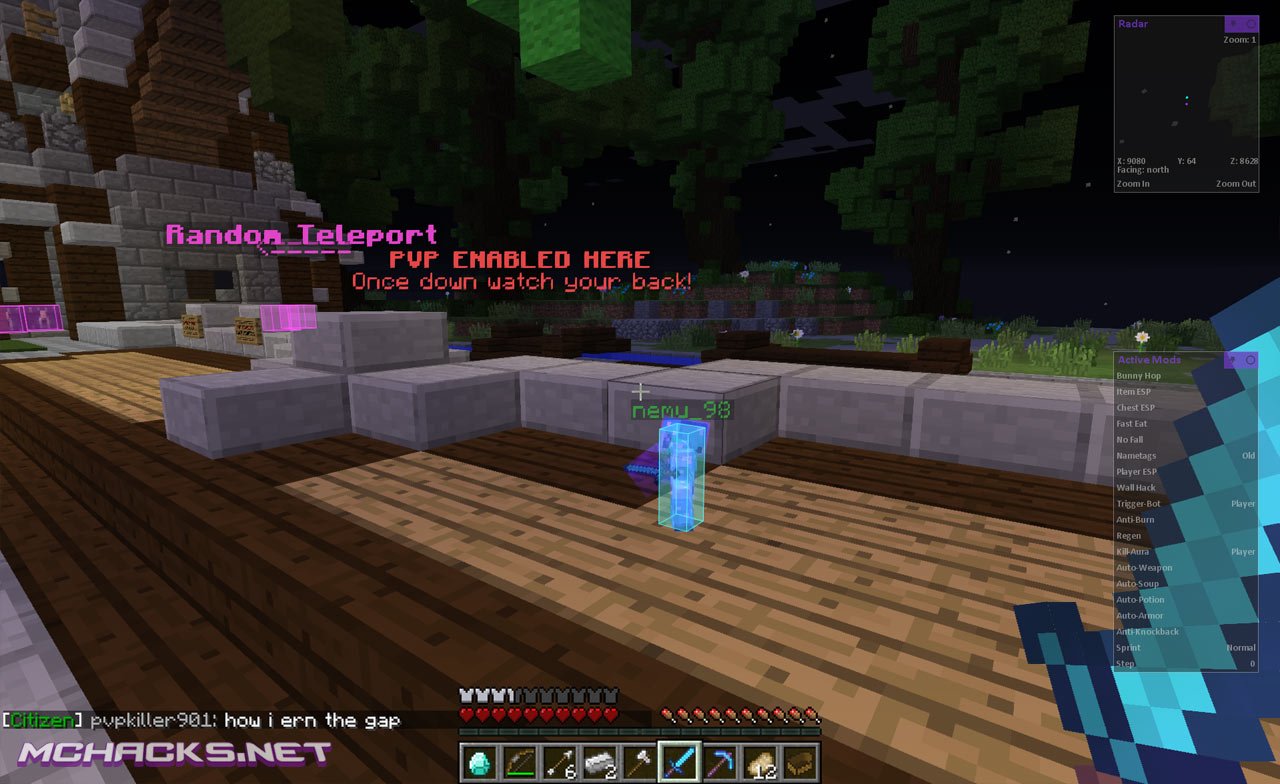
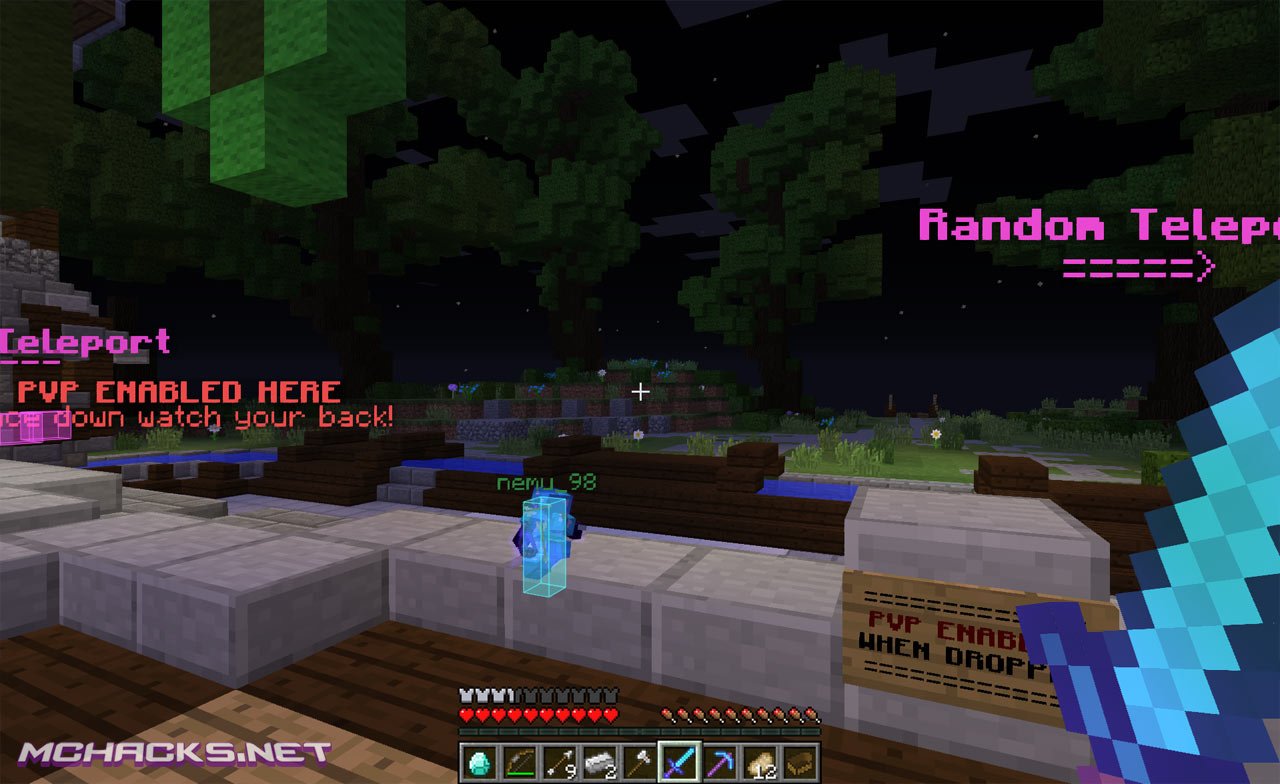
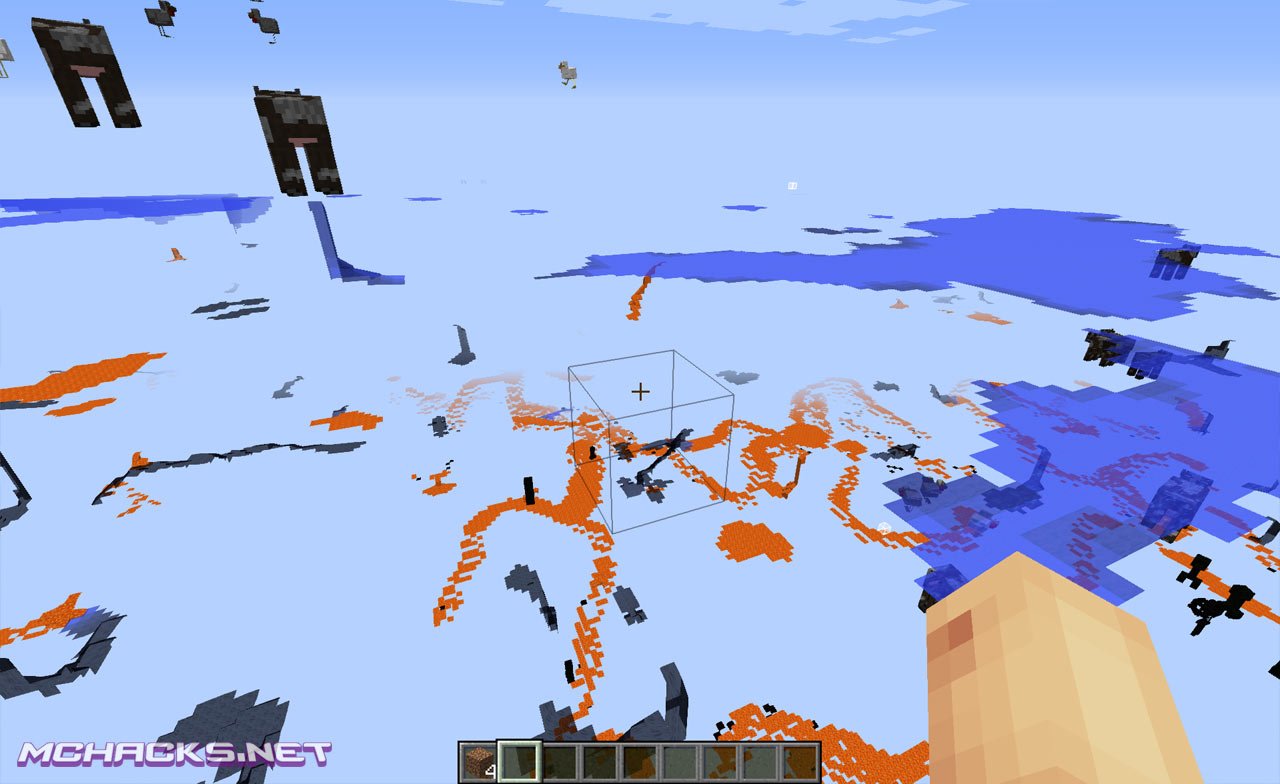
Metro is yet another Minecraft hack, packed with mods and features. To mention a few, it has built in OptiFine, multi OS support (Windows, Linux, Mac) and lots of mods/cheats like flying, aimbot, wallhack, xray, kill aura and many many more. This is maybe one of the best hacked clients for Minecraft 1.8.4. With the alt manager, you can manage multiple accounts with this client and use it for griefing or building. Check out the screenshots below.
Screenshots
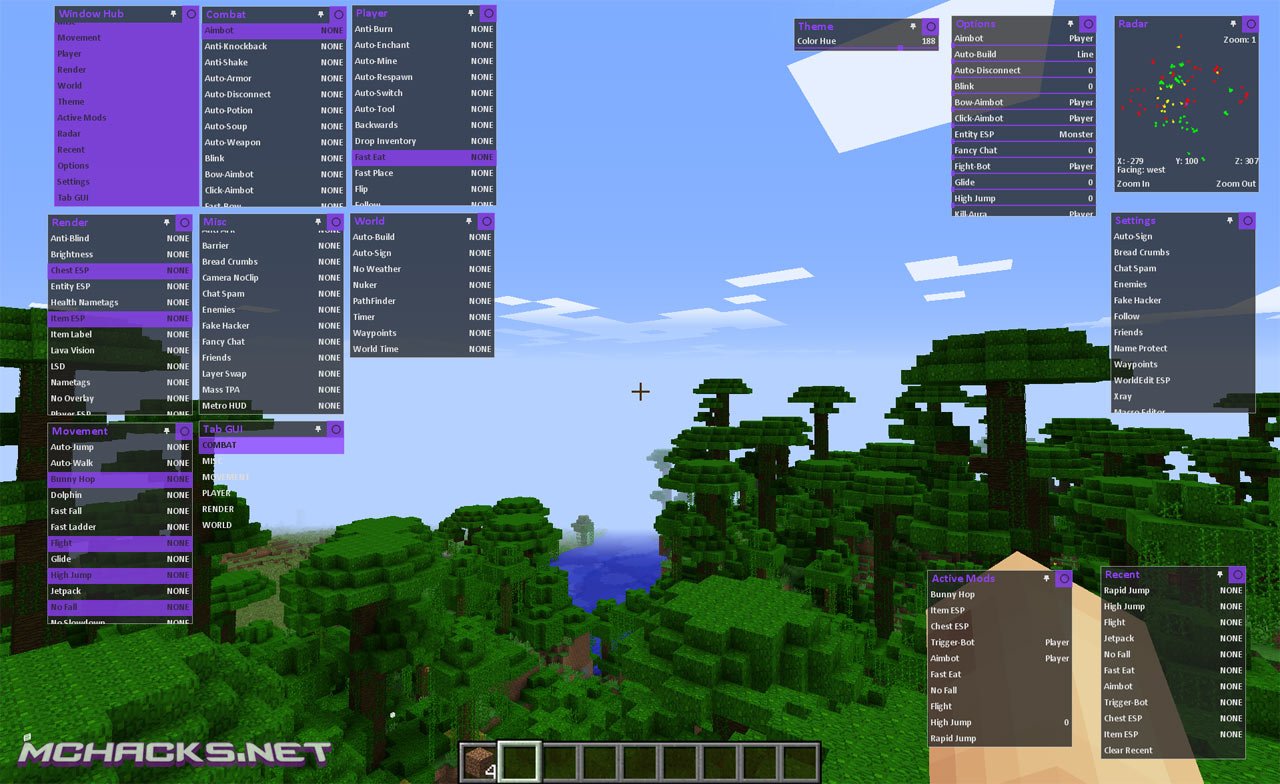
- Aim Assist
- Aimbot
- Air Walk
- Arrow Trajectories
- Alt Manager
- Anti AFK
- Anti Hurtcam
- Armor ESP
- Auto Armor
- Auto Attack
- Auto Eat
- Auto Fish
- Auto Mine
- Auto Shoot
- Auto Respawn
- Auto Soup
- Auto Swim
- Auto Sword
- Auto Tool
- Auto Walk
- Blink
- Breadcrumbs
- Bunny Hop
- Bow Aimbot
- Cave Finder
- Chest ESP
- Click Aimbot
- Click Aura
- Command Book
- Compass Tracer
- Creative Fly
- Criticals
- Dolphin
- Farmhunt ESP
- Fast Bow
- Fast Break
- Fast Eat
- Fast Fall
- Fast Place
- Fightbot
- Flight
- Flip
- Fly Bypass
- Force Field
- Freecam
- Fullbright
- Glide
- High Jump
- Inventory Move
- Item ESP
- Item Labels
- ixAura
- Jesus
- Kill Aura
- Middle Click Enemies
- Middle Click Friends
- Mob ESP
- More Inventory
- Multi Aura
- Nametags
- No Blind
- No Break Delay
- No Fall Damage
- No Fireworks
- No Overlay
- No Slowdown
- Nuker
- OptiFine
- Panic
- Parkour Jump
- Phase
- Player ESP
- Potion Effects
- Projectiles
- Prophunt ESP
- Reach
- Safe Walk
- Sneak
- Sprint
- Step
- Timer
- Tracers
- TrueSight
- Velocity
- Wallhack
- Xray
Other features:
- Enhanced Xray and ESP hacks
- NCP bypasses
- Alt Manager
- Complete client disable (requires restart to use Metro again)
How to use
Click GUI/menu: Left Control / Right Control
Commands:
.help
.bind
.friends
.help
.module_name
How to install Metro client
Choose OS:
- Download and extract the zip file.
- Close Minecraft (if open).
- Navigate to:
%appdata%\.minecraft\versions - Move the extracted Metro folder to:
\versions - Open the Minecraft launcher.
- Click on “New Profile”.
- Settings:
- Profile Name: Metro
- Use version: release Metro
- Save Profile.
- Choose the newly created profile “Metro″ and click “Play”.
- Download and extract the zip file.
- Close Minecraft (if open).
- Navigate to:
~Library/ApplicationSupport/minecraft/versions - Move the extracted Metro folder to:
/versions - Open the Minecraft launcher.
- Click on “New Profile”.
- Settings:
- Profile Name: Metro
- Use version: release Metro
- Save Profile.
- Chose the newly created profile “Metro″ and click “Play”.
- Download and extract the zip file.
- Close Minecraft (if open).
- Navigate to:
\Home\.minecraft\versions - Move the extracted Metro folder to:
\versions - Open the Minecraft launcher.
- Click on “New Profile”.
- Settings:
- Profile Name: Metro
- Use version: release Metro
- Save Profile.
- Chose the newly created profile “Metro″ and click “Play”.
If you have any questions, leave a comment below.
Download Links
Download and use at your own risk. We do not create, nor host any clients, programs or downloads in general.
Lol jk
where do u download the mtro file
Go to the part where it says: follow us for our latest hacks and above there should be a purple box with two downloads. click one of them (which ever you prefer) and it will direct you to an ad. Wait 5 seconds, then press “skip ad” in the top right corner. then click download to computer
the only problem i have is a hyper sensitive mouse that can’t decide weather to be hyper sensitive or not
most of the time it sends my camera spining
Why can’t i find the ”release metro” version when im making a new profile? I have added the metro_5.1 file into the version folder but when i try to create a new profile it’s not there.
You have to open that folder and there is a folder called metro
have you WINRAR
look inside the Metro_5.1 folder. You should find another folder labeled just Metro. Drag that into the versions folder instead. A tip for installing hacked clients is never drag the folder in that has numbers in its title.
I cant get metro to download why?
same, i really need help because i am really looking forward to it.
Enjoying it!
for the author, could you remove the auto focus of the kill aura
You can Set it to Silent Mode, you can find it in the Combat Section
it no work
ok i’m just waiting to see if i should download this one or another, is this one good or no?
no
For me, It’s one of my Favorite Hacked Client because this Client has 90+ Hacks
I love this client right up until I used break all blocks around me. It kicked me off of the server and said that the interaction was too fast. I have tried reinstalling the client 2 times but it still won’t work, I reset the settings. Can someone please help me?
This is because of the server. Some servers have Max Blocks Broken per Tick settings in place and if you pass this you will be kicked. This is not because of the client
Maybe THE BEST hacked client that is out there until one thing that I noticed while playing on SkyPvP server (Skyblock, parkour and PvP combo). Every time I fall out of the world or atleast reach the bottom of the world (while falling) server auto kicks me for flying is not enabled. None of the mods that are active has anything to do with flying, but when I switch to vanilla minecraft everything is ok. So I am guessing it’s the hacked client itself.
Can anyone help me with this?
Sometimes when you are using hacks it will say “flying is not enabled” even if you are not flying. So even if you weren’t flying, were you hacking at all. Because usually when you get banned or kicked for hacking it will just say flying is not enabled.
rip off of wolfarm
DOESN’T work on Macs
My brother got a macbook air and his works, i think it is just urs. But although mine doesnt work either.
How do you open it in the minecraft game
work thanks
it gets to 99% then it just stops? why??
Try using a different browser.
Why can’t i find the ”release metro” version when im making a new profile? I have added the metro_5.1 file into the version folder but when i try to create a new profile it’s not there why same for me too
I got it to work but now it won’t load past the mojang screen. It was working before but for some reason now when i try to play with metro on it doesn’t open to the main menu it just gets stuck on the mojang screen and freezes, Please help
open that folder and there should be another metro inside use that one instead
How do I use xray?
I cant find the button to download it
Help?
Go to the part where it says: follow us for our latest hacks and above there should be a purple box with two downloads. click one of them (which ever you prefer) and it will direct you to an ad. Wait 5 seconds, then press “skip ad” in the top right corner. then click download to computer.
Why isnt it downloading when i click ‘Download to computer’ after the 1st step. PLZ HELP ME I AM BEGGING!!!!!! I got a macbook air. It comes up but it doesnt download
guys u have to use google chrome instead of safari for it to work since safari is not compatible all the way with mega while chrome or firefox is
I have windows though it is still Error: Could not find or load main class net.minecraft.client.main.Main
WINDOWS ISNT GOOGLE -_-
when i click Play a game output message comes up saying
Error: Could not find or load main class net.minecraft.client.main.Main
Java HotSpot(TM) 64-Bit Server VM warning: Using incremental CMS is deprecated and will likely be removed in a future release
i cant eaither
Same
I have the same problem
‘
I’m having the same problem, downloaded with firefox.
same
I don’t see the version thing
If I Run Metro 5.1 and goto download Metro 6.0 on MEGA it says Metro5.1 and i’m like, WTF. Then I install it and when i try to run it, It doesn’t run. is Metro 6.0 Broken, or is it just being worked on?
Click on Metro 5.1 at the download page, and it redirects you to 6.0.
5.1 IS always broken n rekt
I’m trying to use this on Wynncraft, but it won’t attack mobs?!!! I tested it in a vanilla singleplayer and the same thing happened, it says it attacks all entities, but it only seems to attack players :(
It does not download :(
where is the download button
works
how do i undisguised it when i hit the disguise button
how i can use bypass?
me neither
i do not see the verson
me neither
or me
Blink is supposed to make you appear that you are in one place but you are actually moving around, and then teleport when you disable it. That doesn’t work for me. Also, I tried downloading 6.0 but it directed me to 5.1.
LOL!
how to downlod this
when you have minecraft crashes,e-mail me:[email protected] (NO SPAM)
i can`t found release metro
In the metro_5.1 or whatever you have it called, take out the “Metro” folder with a Java symbol, then put that into your versions folder in .minecraft
where is optifine
It just freezes when th mojang sign comes in the beginning of the game why?
it’s just metro’s way of loading
you probably have a sh*t pc
Someone plz help. It wont get past the Mojang screen. Someone plz tell me what to do. I’ve been killing myself trying to figure out how to get past it.
PLZ
TELL ME
that’s just metro’s way of loading just wait!!!
sh* pc?
porque no corre el programa? le doy JUGAR y luego carga y no habre el minecraft :( pueden ayudarme porfavor
it just didn’t move anything
when i open
can’t open may be this is just a fake apps
you can open?
i ok la i can open
it just
need to just a (i don’t know how to say) a um but just need a good minecraft starder
hi guys its necero#minecraft
Hello, please someone help me with this. The download/install works great for me. Open game server(live mmo) the Gui opens and some functions sort of work, but FLY doesn’t on any server I try. All it does is glitch you back to the same spot.(can’t move more than 1-2 blocks)
At first I thought it was Metro, but other clients do the same. What settings am I missing? Or did they all block with function somehow?
These servers have a plugin that beats hacks. Try pure vanilla
Wurst client can bypass servers with nocheatplus and can bypass mineplex anti cheat
lies i got banned from mineplex for 30 days for destroying in hunger games lol
most minecraft servers have anti-fly. iv been playing for a long time i have fly and most servers have it so i glich fly if im falling i fly and i go back to the last block i was at so there is good and bad about flying
Where do I go to download it?
Found it.
I installed it and every thing but when i hit play it takes me back to the launcher. D:
hello
im wondering what it means by “target player”. does it mean who you are looking at or something else, pls respond
can somone help me, im trying to figure what it means by target player, thnks you
how do you open the menu
You might need to get a faster running minecraft or reinstall minecraft if your having problems. 1. How to make minecraft faster: Hold Ctrl+alt+delete and it should bring up a menu (Note minecraft should be running at this time), then you should click task manager. You need to go to applications and find minecraft. Right click it and click go to process. Then you should right click the process and set priority and set it exactly 1 higher or this could lead to system damage.
2. Reinstalling minecraft: Find minecraft and delete it. Then go to control pannel and find (Uninstall a Program) and click minecraft, it should uninstall automaticly. Then go to the minecraft homepage : https://minecraft.net/ . Sign in and reinstall .exe (Please note that if .exe doesn’t work try .msi) and then reinstall every mod or anything you need like forge or optifine. I hope you found this useful from anything you need.
3. If you don’t see it in your folder then see in the .minecraft folder (You can find it if you search run in the start search bar and type in %appdata%) . Then make sure your in the folder versions and it says at the top C:Users(UserName)AppDataRoaming.minecraftversions then put in your mod/hack in there.
Hello im germany
i can’t see were u can download it
I don`t see the version:”release Metro”
can somebody help me ?
Where is the download button ??
it works, download ur version, and when u have it, press (windows key, and R) and type in %appdata% click ur minecraft folder, click versions, and place metro in ur version folder, and select metro in minecraft YOUR WELCOME.
how do you add mods
I Dont Know Where To Activate It
MORON
Good Hack :D
Why do all the great clients have to be 1.8
;-;
why not hijo de puta
How do I edit the item esp blocks?
you can download it through your web browser buddy <3
how
where is the download button ? im so confused.
hack okey
How do i add someone as my friend!? please help!
feike
q isso
where link download huh
how do u download this
Great Great
what button to work