4 comments
Creator: CoolKid444
Creator: CoolKid444
Carrot Client is another Minecraft hack. It is in first development, so it issn’t as packed with features as other clients yet.
Media – Screenshots
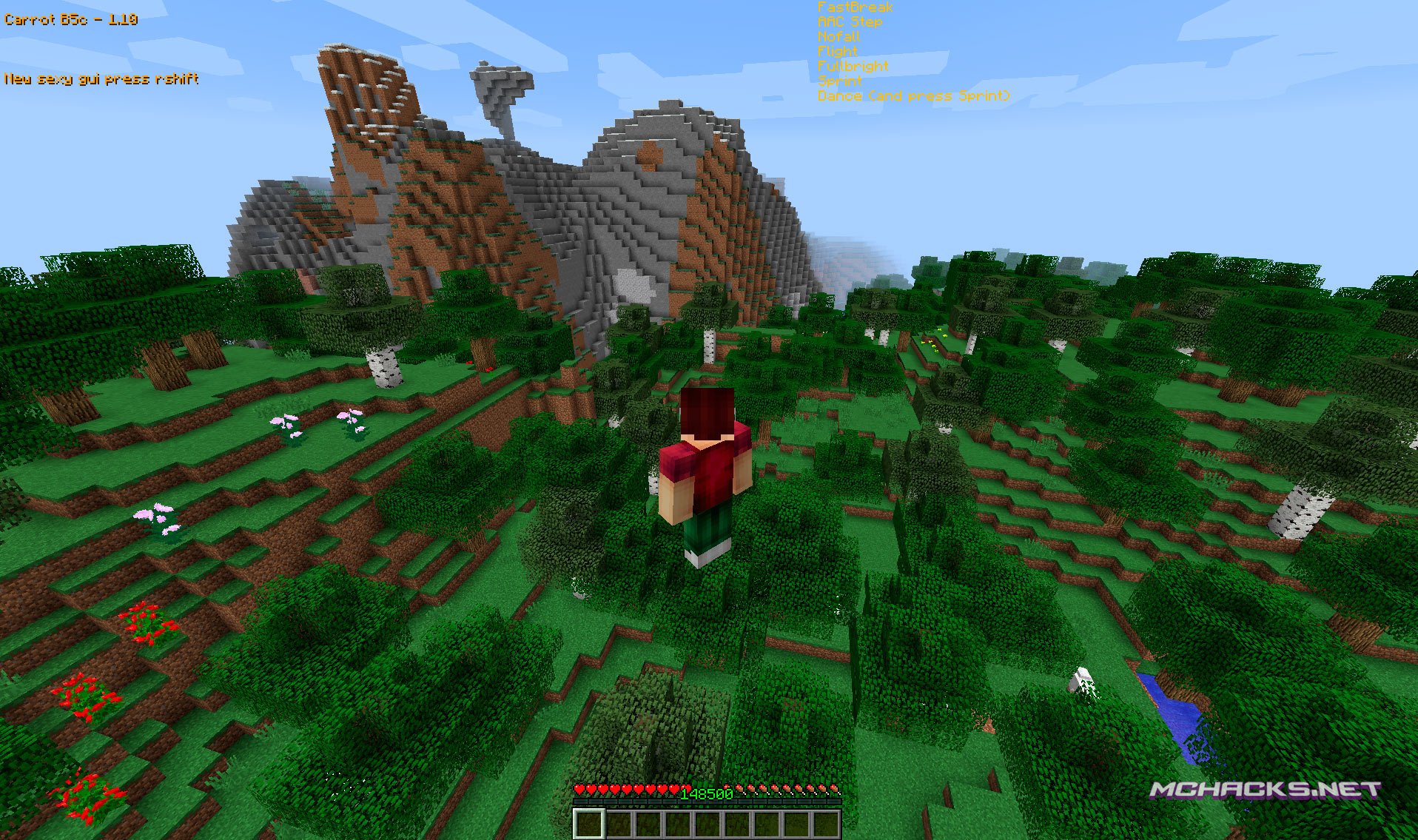
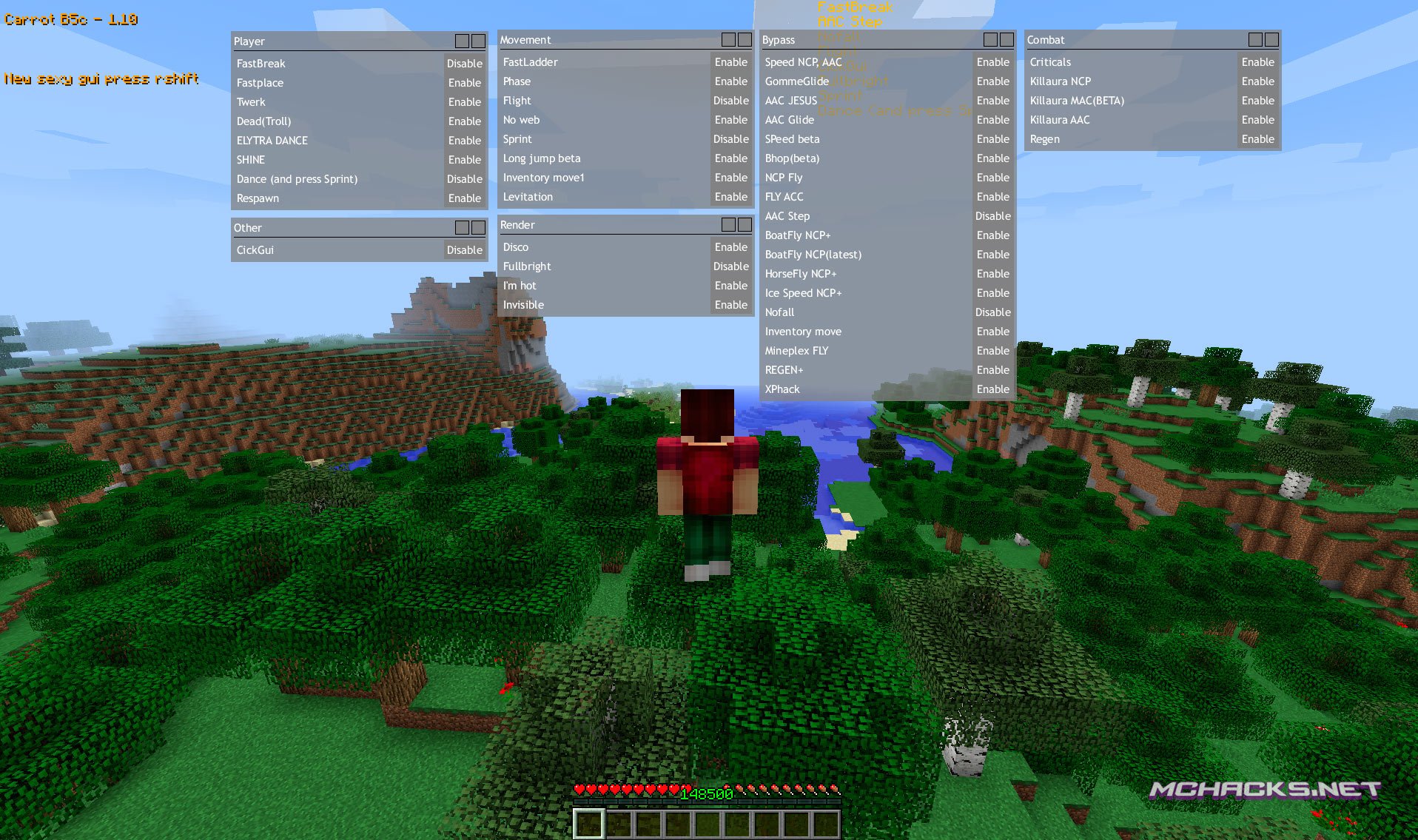
Features – Mods – Cheats
Player
- FastBreak
- FastPlace
- Twerk
- Dead (troll)
- Elytra Dance
- Shine
- Dance (and press Sprint)
- Respawn
Movement
- FastLadder
- Phase
- Flight
- No Web
- Sprint
- Long Jump
- Levitation
Bypass
- Speed NCP, AAC
- GommeGlide
- AAC Jesus
- AAC Glide
- Speed
- Bhop
- NCP Fly
- Fly AAC
- AAC Step
- BoatFly NCP+
- BoatFly NCP (latest)
- HorseFly NCP+
- Ice Speed NCP+
- NoFall
- Iventory Move
- Mineplex Fly
- Regen+
- XPhack
Combat
- Criticals
- Killaura NCP
- Killaura MAC
- Killaura AAC
- Regen
Render
- Disco
- Fullbright
- I’m hot
- Invisible
Other
- Click GUI
How to use Carrot (controls)
- GUI/Menu: Right Shift
Minecraft versions
Currently available for:
- Minecraft 1.10.x
How to install Carrot Client
Windows Installation
- Download and extract the zip file.
- Close Minecraft (if open).
- Navigate to:
%appdata%\.minecraft\versions - Move the extracted Carrot folder to:
\versions - Open the Minecraft launcher.
- Click on “New Profile”.
- Settings:
- Profile Name: Carrot
- Use version: release Carrot
- Save Profile.
- Choose the newly created profile “Carrot” and click “Play”.
Mac installation
- Download and extract the zip file.
- Close Minecraft (if open).
- Navigate to:
~Library/ApplicationSupport/minecraft/versions - Move the extracted Carrot folder to:
/versions - Open the Minecraft launcher.
- Click on “New Profile”.
- Settings:
- Profile Name: Carrot
- Use version: release Carrot
- Save Profile.
- Chose the newly created profile “Carrot” and click “Play”.
Linux Installation
- Download and extract the zip file.
- Close Minecraft (if open).
- Navigate to:
\Home\.minecraft\versions - Move the extracted Carrot folder to:
\versions - Open the Minecraft launcher.
- Click on “New Profile”.
- Settings:
- Profile Name: Carrot
- Use version: release Carrot
- Save Profile.
- Chose the newly created profile “Carrot” and click “Play”.
Download links below.
Download Links
Download and use at your own risk. We do not create, nor host any clients, programs or downloads in general.
hi
where the hell are the download link
Yeah were the errorer Download because ive been hacked begfore
Sweet hacked client but could you fix the problem that when you load up in a world/server that you dont have a chance of it showing a error screen? happens sometimes XD Also my username is Mine_Pixel3432