Creator: Sal/xXSKHXx
Let me be honest with you guys, this is far from the best client we have tried. The GUI/in-game menu is kind of blurry, and even though it doesn’t include many features/mods/hacks, the file size is much bigger than many other clients. Anyway it is one of the first versions and might improve in the future, so we will keep you updated here. It works in singleplayer and multiplayer on online servers.
You can also check out our other Minecraft 1.8 hacked clients.
General Information
OptiFine: Yes
NCP Bypasses: 1
Known bugs: Upon switching/dropping/gaining items, the normal In-Game GUI goes temporarily blank (this usually lasts about 2-5 Seconds). You may also encounter a blank screen while loading into worlds or servers.
Screenshots
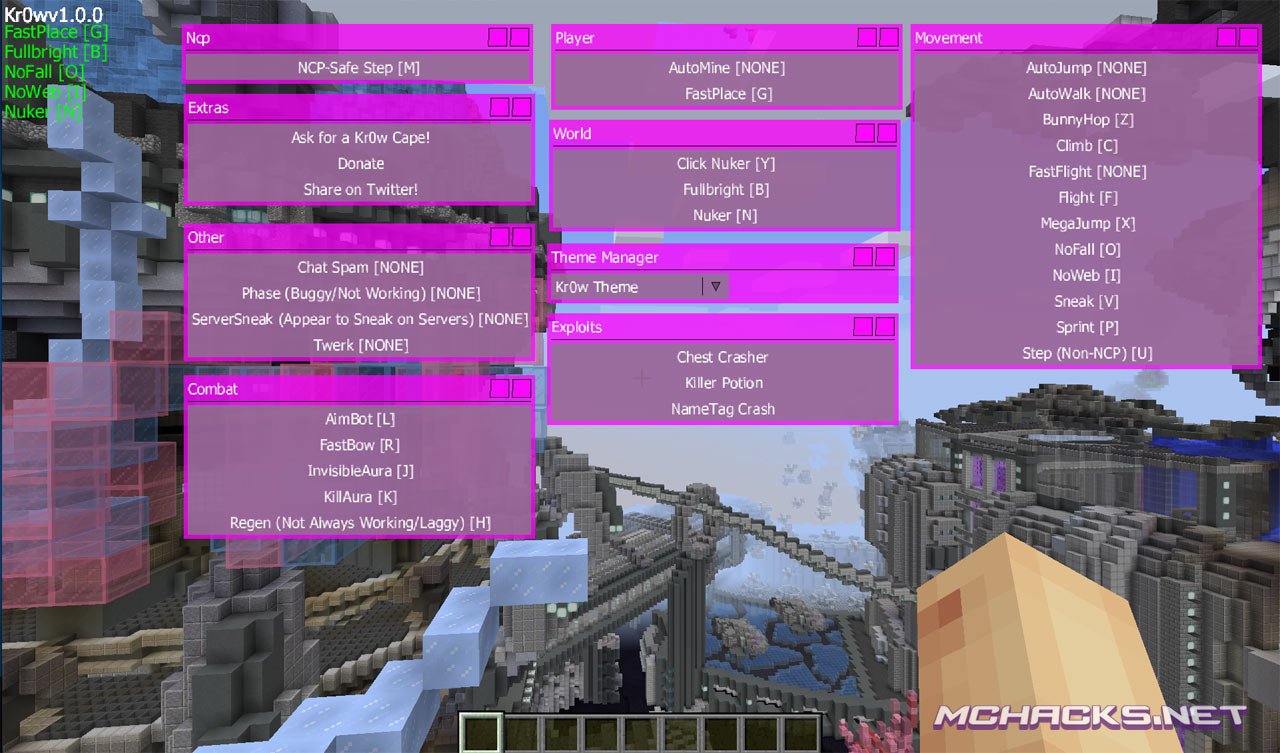
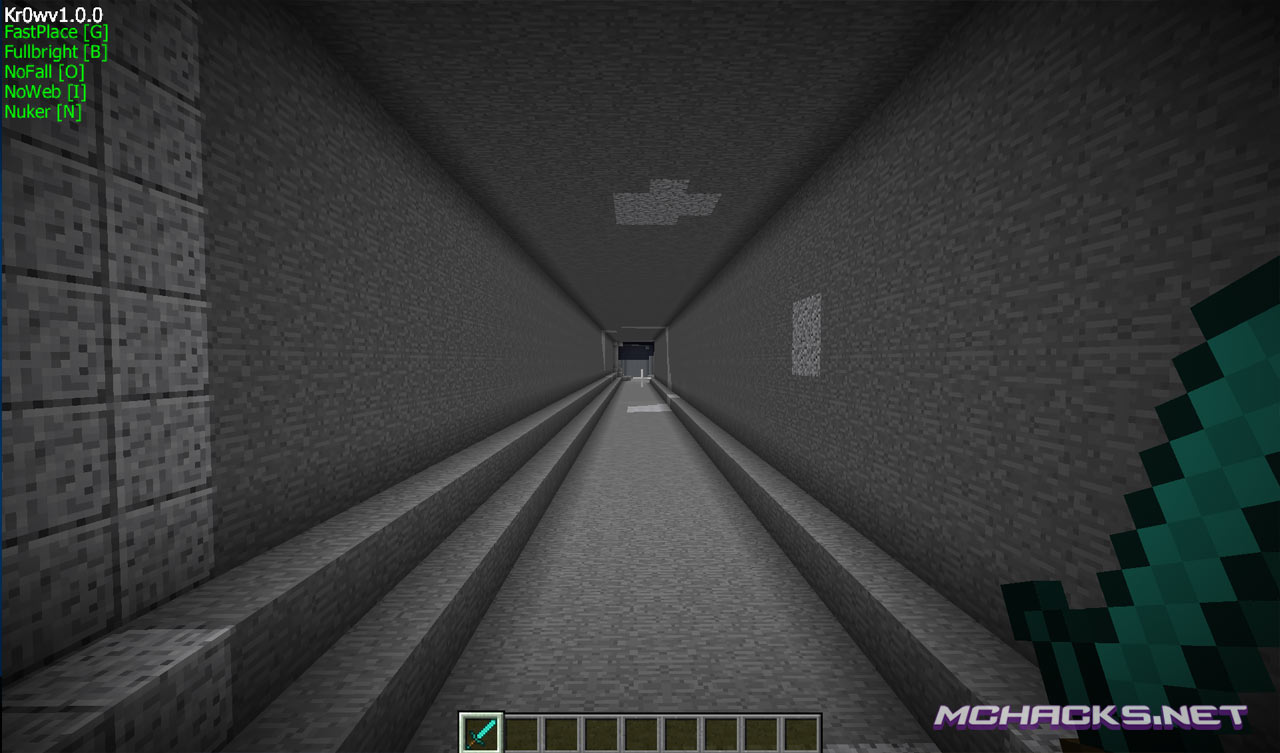
| Mod / Hack | Shortcut |
|---|---|
| AimBot | [L] |
| AutoMine | [None] |
| AutoWalk | [None] |
| BunnyHop | [Z] |
| Chat Spam | [None] |
| Chest Crasher | [None] |
| Click Nuker | [Y] |
| Climb | [C] |
| FastBow | [R] |
| FastFlight | [None] |
| FastPlace | [G] |
| Flight | [F] |
| FullBright | [B] |
| InvisibleAura | [J] |
| KillAura | [K] |
| Killer Potion | [None] |
| MegaJump | [X] |
| NameTag Crash | [None] |
| NCP Step | [M] |
| NoFall | [O] |
| NoWeb | [I] |
| Nuker | [N] |
| Phase (Buggy/Not Working) | [None] |
| Regen (Not Always Working/Laggy) | [H] |
| Sneak | [V] |
| Sprint | [P] |
| Server-Sneak (Appear to be sneaking even if you aren’t) | [I] |
| Step (Non-NCP) | [U] |
| Twerk | [None] |
How to use
In-Game GUI: Right-Shift
How to install
Windows Installation
- Download and extract the zip file.
- Close Minecraft (if open).
- Navigate to:
%appdata%\.minecraft\versions - Move the extracted Kr0w-v1.0.0 folder to:
\versions - Open the Minecraft launcher.
- Click on “New Profile”.
- Settings:
- Profile Name: Kr0w
- Use version: release Kr0w-v1.0.0
- Save Profile.
- Choose the newly created profile “Kr0w″ and click “Play”.
Mac installation
- Download and extract the zip file.
- Close Minecraft (if open).
- Navigate to:
~Library/ApplicationSupport/minecraft/versions - Move the extracted Kr0w-v1.0.0 folder to:
/versions - Open the Minecraft launcher.
- Click on “New Profile”.
- Settings:
- Profile Name: Kr0w
- Use version: release Kr0w-v1.0.0
- Save Profile.
- Chose the newly created profile “Kr0w″ and click “Play”.
Linux Installation
- Download and extract the zip file.
- Close Minecraft (if open).
- Navigate to:
\Home\.minecraft\versions - Move the extracted Kr0w-v1.0.0 folder to:
\versions - Open the Minecraft launcher.
- Click on “New Profile”.
- Settings:
- Profile Name: Kr0w
- Use version: release Kr0w-v1.0.0
- Save Profile.
- Chose the newly created profile “Kr0w” and click “Play”.
where do I download
i put the extracted folder in versions but it doesnt show up when im creating the profile
same thing happened to me, it doesnt show up in the list of version I can choose from when creating a new profile
me tooooo WHYYY ;((((((
you need to download the thing and then click the folder and there will be a different version Just named Kr0w you drag that not the version you downloaded :)
Need Help On Undownloading The Hacks You Need To have Rubbish on your desktop and then move the folder/anything to rubbish then click rubbish and right click the folder/anything and click delete it will load Enjoy
Sorry, the big file size is because of how it exports x)
You can blame the fact that Im on a mac for it making a completely unneeded file that is basically a replica of its source code, dont know how to fix the problem yet x))))
I like that!!